Pay with your card.Your private receipt just appears.
At connected merchants, add your card once and Cheqi routes matched receipts to you automatically. Without the app, you can still receive a receipt in a Cheqi browser wallet by QR code or link. Cheqi cannot read what you bought.
Only you and the parties you authorize can decrypt the receipt contents.


Free for consumers on iPhone and Android.
You pay
Credit or debit card
Cheqi delivers
Receipt delivered to Cheqi
Matched and routed without exposing what you bought.
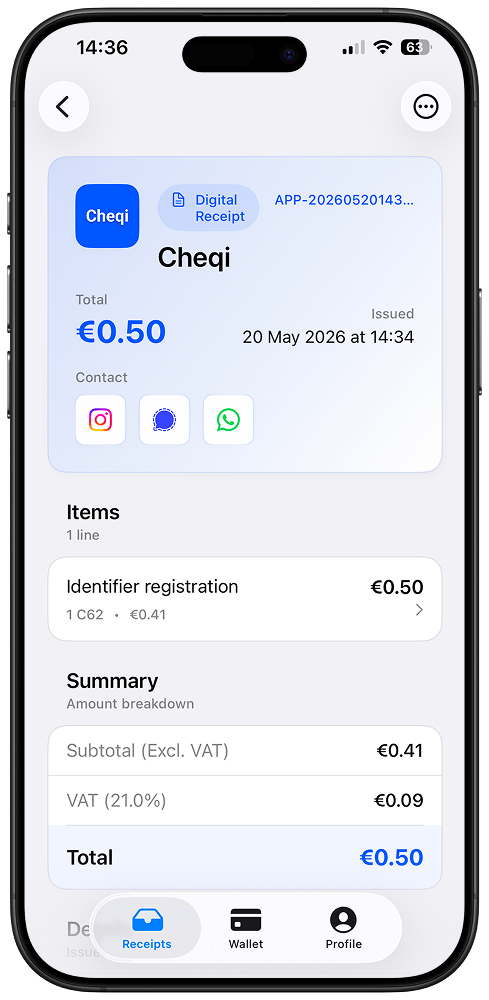
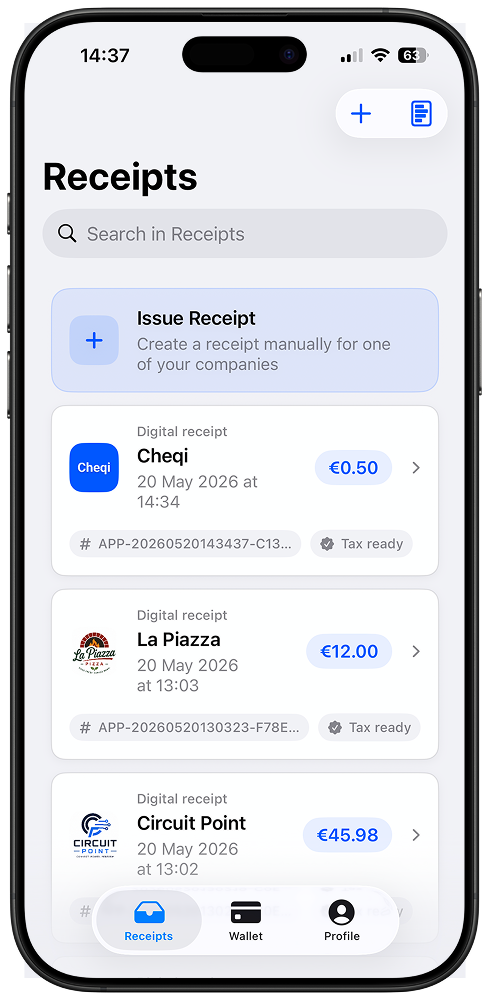
Your card does the work
Pay with your linked card at a Cheqi-connected merchant and the receipt is delivered automatically.
Cheqi can't read it
Receipt contents are encrypted before Cheqi receives them and opened only by authorized recipients.
Free for consumers
Download Cheqi and receive unlimited supported receipts without a subscription.
Automatically when possible. In a Cheqi wallet for everyone else.
Our goal is to route every receipt to the customer automatically. Connected merchants can also issue to people who do not use the Cheqi app, so they still get a digital receipt.
Using Cheqi? It arrives automatically.
When Cheqi matches the payment, the encrypted receipt goes straight to the customer's app and any destinations they have authorized. Nothing to scan at checkout.
No Cheqi app? Open the browser wallet.
The merchant can offer a QR code or link. The customer opens the receipt in a Cheqi browser wallet without creating an account, and can find it again in the same browser when storage is available.
Both paths require the merchant to issue through Cheqi. Browser wallet receipts are saved on that device, not synced across browsers.
Add your card once. Then just pay.
At a merchant that issues through Cheqi, your linked card turns an ordinary payment into automatic receipt delivery.
Step 1
Add the card you use
Link a credit or debit card in the Cheqi app once. You stay in control and can remove it whenever you want.
Step 2
Pay as usual
Use that card at a Cheqi-connected merchant. There is nothing to scan, type, or explain at checkout.
Step 3
Your receipt appears
Cheqi privately matches the payment and delivers the encrypted receipt to your phone — and only to other destinations you authorize.
Never lose a receipt again.
All your receipts in one place
No more searching through email, drawers, or photo rolls for supported purchases. Receipts from Cheqi-connected systems are in Cheqi, always findable.
Returns and warranties at hand
Start a return request directly from the app. All the details the merchant needs are already there.
You control who sees your receipts
Set where receipts go per payment identifier — or per company. Route them to personal finance apps, your business, or keep them entirely private.
Zero knowledge, not just encrypted storage
Receipt contents are encrypted before they enter Cheqi's infrastructure. Cheqi routes ciphertext, while only you and explicitly authorized parties can decrypt their copies. Encrypted iCloud or Google Drive backup supports recovery.
Automatic at Cheqi-connected merchants.
A receipt arrives automatically when the merchant or its POS issues through Cheqi. You pay normally; the merchant connection does the rest.
In-store payments
Pay with your linked card at a connected checkout and the encrypted receipt is delivered to Cheqi.
Online payments
The same automatic delivery works when a connected webshop or commerce platform issues through Cheqi.
Coverage is growing
Automatic availability grows as more merchants and POS platforms connect. Unconnected merchants remain outside the automatic flow.
Add your card once. Then just pay.
Cheqi is free for consumers. At connected merchants, your encrypted receipt arrives automatically in the app.