Digital receipt automation for businesses
Your team pays.The receipt follows.
Cheqi automates business receipt collection and routes structured receipt data to authorized accounting and expense software. At connected merchants, matched payments deliver receipts automatically. Employees can also submit business purchases paid with their own card.
Automatic delivery requires a connected merchant and a matched card or account.
Your receipt follows the payment.
Pay with a linked card at a Cheqi-connected store.
From payment to paperwork done
Less work after every connected purchase.
Connect your destinations once. See what happens before, during and after the next purchase.
Your workflow. Your permission.
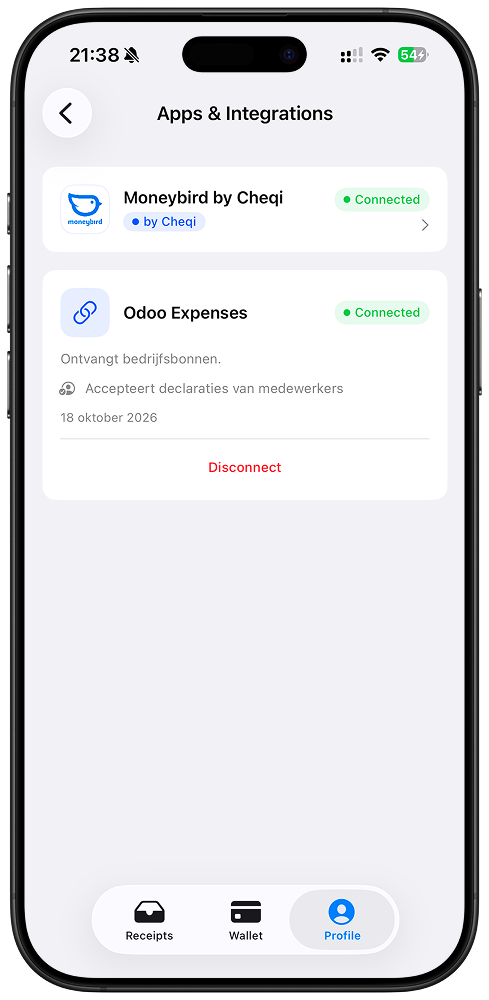
Choose where your business receipts may go. Moneybird and Odoo Expenses are available today, with access you can review and revoke in Cheqi.
- Connect the tools you already use
- Authorize each destination explicitly
- Review your connections in the app
Illustrative walkthrough. No payment is made and no receipt is sent.
Personal card. Business expense.
Paid upfront? Submit the receipt.
Employees can pay for a business purchase with their own credit or debit card, receive the receipt in Cheqi, and submit it to the employer’s connected expense workflow. A company card is not required.
Explore expense integrations- 01
Pay with your own card
The employee advances the cost. At a connected merchant, a linked card can bring the receipt into their Cheqi app automatically.
- 02
Choose the business receipt
The employee selects the receipt and submits it to the employer’s authorized expense destination.
- 03
Review and reimburse
The receipt reaches the employer’s connected expense system. The employer reviews the expense and handles reimbursement through its own process.
Employees choose what to submit. Their other personal receipts are not automatically shared with the employer.
Your tools. Fewer missing receipts.
Connect Moneybird or Odoo Expenses today. Keep your existing workflow and give business receipts a direct way in.
 Available
Deliver receipts to Moneybird
Connect a Moneybird administration and send authorized receipts as structured purchase receipts with VAT, line items, totals, and the original UBL document when available.
Connected only after explicit authorization
Receive receipts in Odoo Expenses
Receipts employees submit from the Cheqi app arrive in the Odoo Expenses module as draft expenses, with line items, tax and the original UBL document. No photos or retyping.
Encrypted for your Odoo. The connector runs in your own system.
Need another accounting or expense tool?
Tell us what your business already uses. Integration demand helps us prioritize the routes that remove the most manual receipt work.
No migration away from your existing workflow
Private by design
Business data deserves more than a privacy promise.
Receipt contents are end-to-end encrypted before reaching Cheqi. Our core service matches and routes receipts without reading what was bought.
Read how the Moneybird connector handles accessEncrypted before upload
The merchant encrypts the receipt contents for the customer’s devices. Your purchase details stay protected in transit and storage.
Your device prepares the next copy
The customer’s device creates encrypted copies for authorized third-party destinations. Your Odoo connector opens its own copy inside your Odoo system.
Access is explicit
Cheqi knows identity and payment metadata needed for matching. The managed Moneybird connector processes its authorized copy under a disclosed access model.
A practical place to start
Start with the tools you use today.
Connect a supported destination first. Automatic receipt delivery works at merchants connected to Cheqi; it does not retrieve receipts from every shop or payment. As merchant coverage grows, more purchases can follow the same route.
Talk through your team’s setupPay for routing, not another licence
Per receipt routed to a connected accounting or expense tool. Receiving and secure storage in Cheqi are free.
See pricing and conditionsKeep the tools. Lose the receipt chasing.
A better next step for your receipts.
Choose a supported integration, or talk to us about the receipt workflow your team needs.